Manage your CMMC program
from one place

MotherBear GRC connects requirements, documents, evidence, and the work behind them.

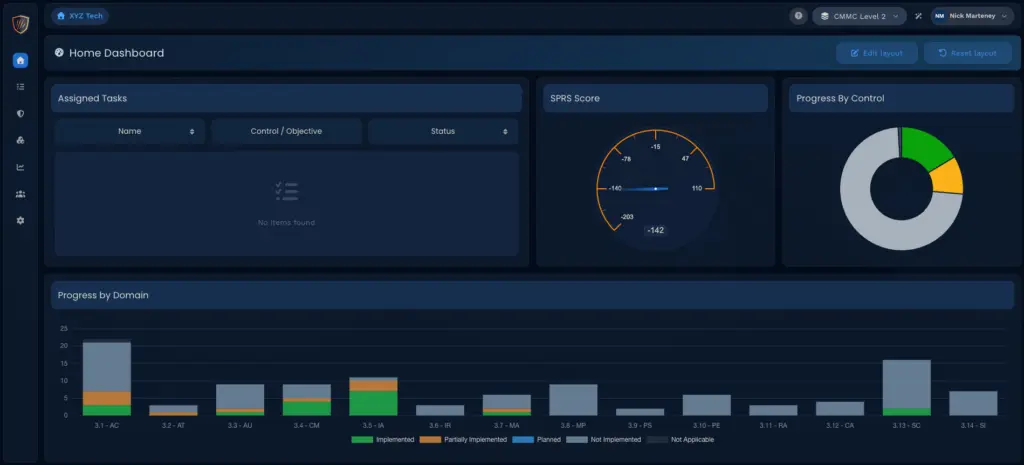
Dashboard in MotherBear GRC.
The Daily Challenge

Scattered information makes CMMC harder to manage

When requirements live in spreadsheets, evidence sits in folders, and tasks stay in inboxes, your team spends time connecting the pieces and chasing updates.

Scattered Records

Policies and evidence live in separate tools.

Unclear Progress

It’s hard to see what is done or still missing.

Unclear Ownership

Tasks stall when no one knows who owns them.

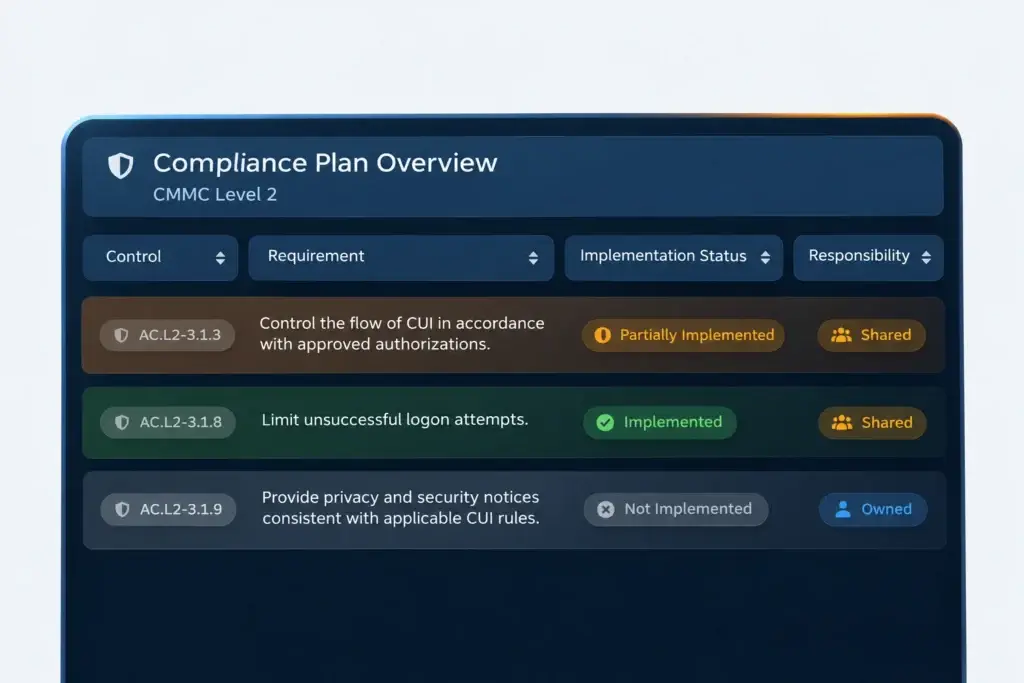
Overview screen in MotherBear GRC which lists all CMMC requirements.

Understand how you meet each CMMC requirement

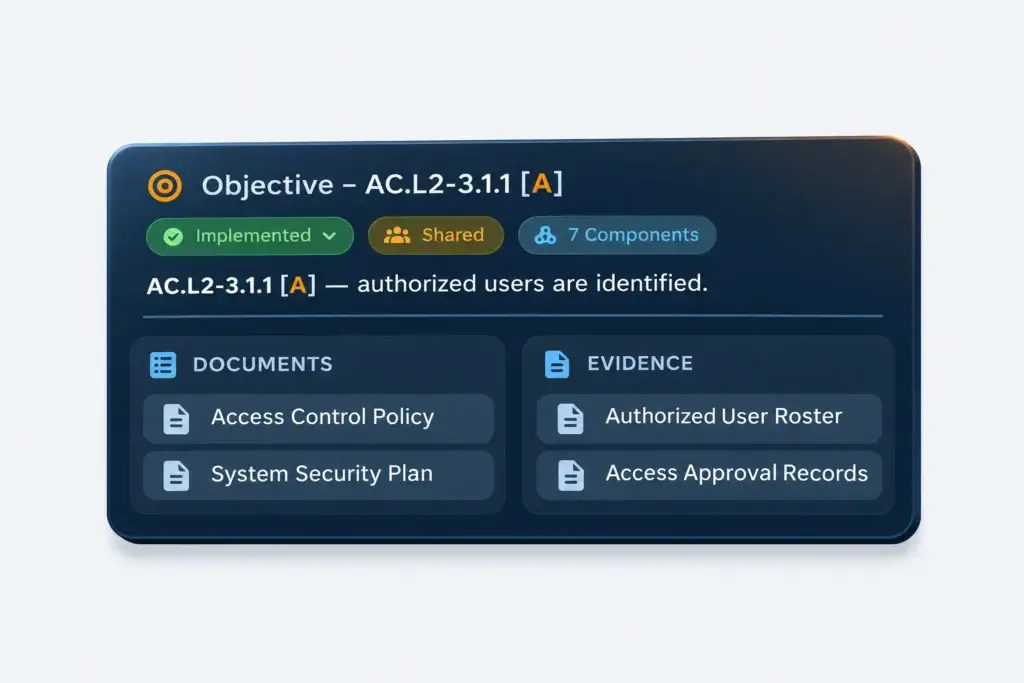
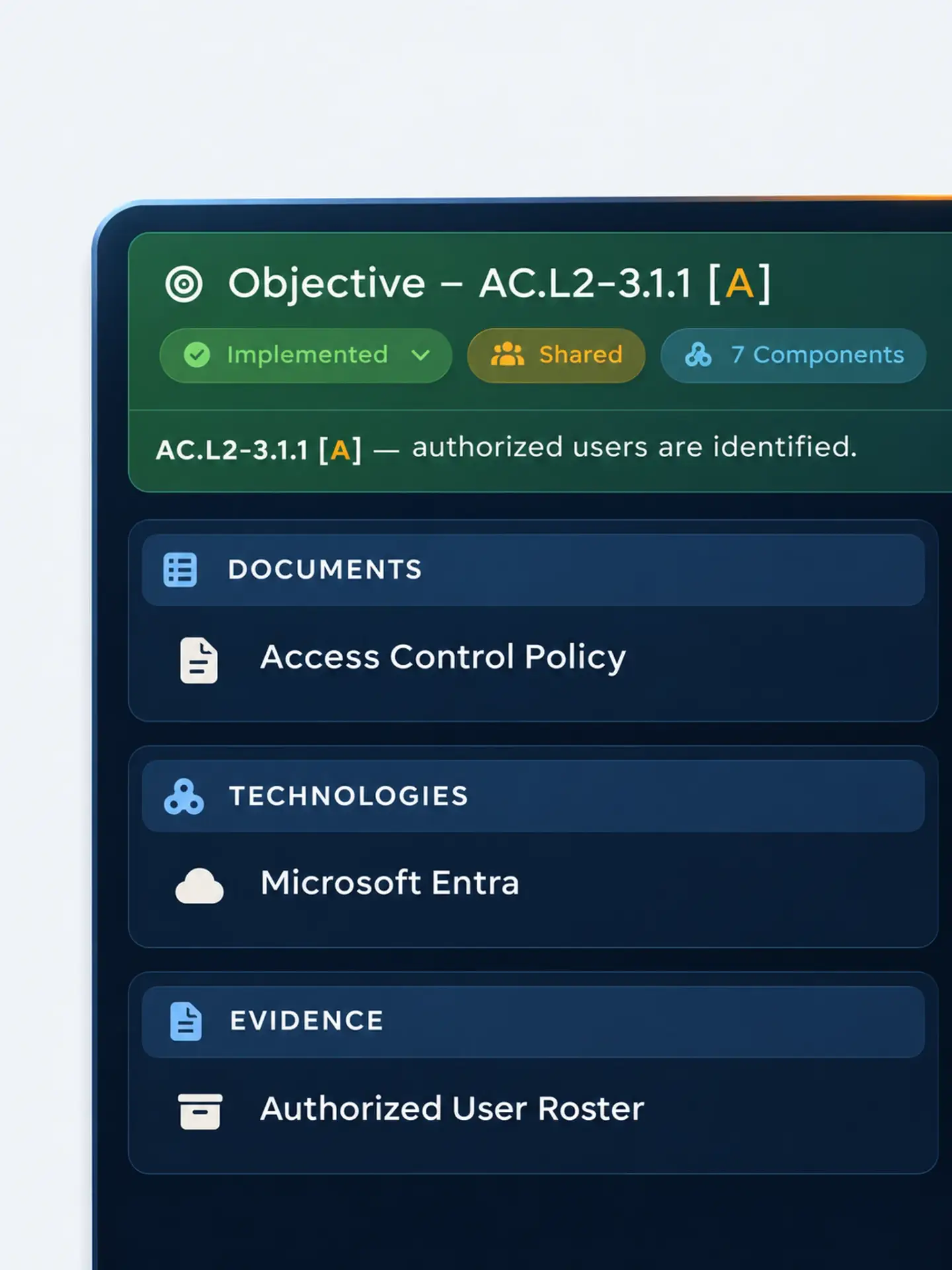
Review requirements and objectives, document your implementation, and connect the technologies that support your approach.

  • Review assessment objectives
  • Document your implementation
  • Map supporting technologies
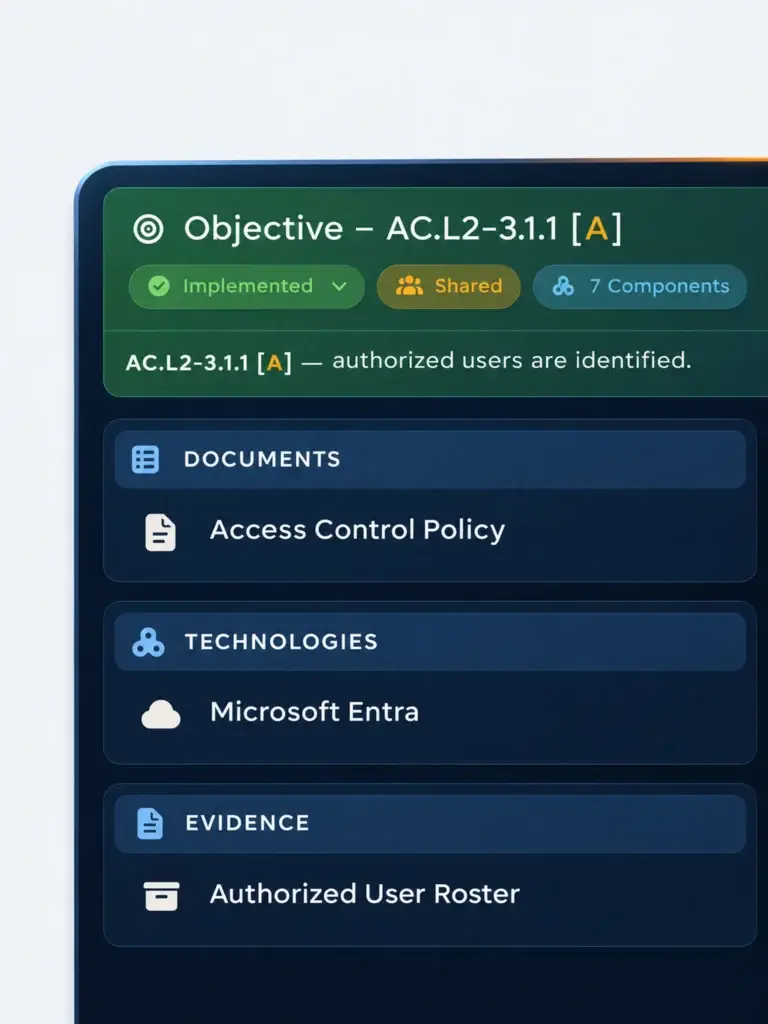
Evidence tied to a requirement in MotherBear GRC.

Keep documentation and evidence tied to the work

Build your SSP and document matrix, map policy statements, and reuse evidence across requirements so your team can review the work in context.

  • Map policy statements
  • Review the document matrix
  • Reuse mapped evidence
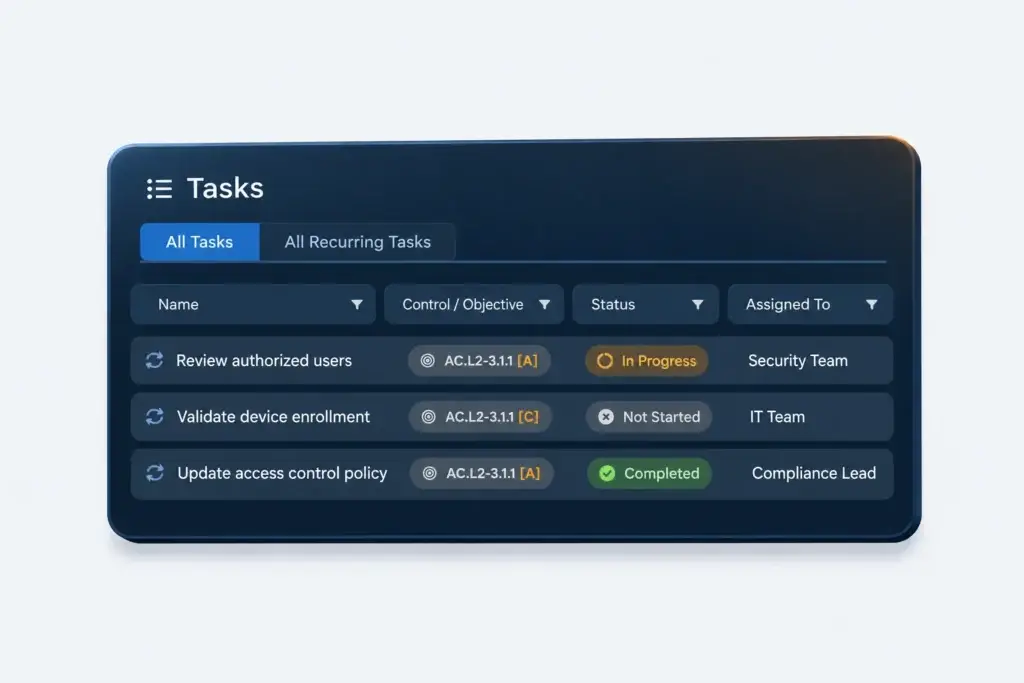
Task list with clear ownership assigned in MotherBear GRC.

Give your team a clear view of ownership and progress

Assign responsibilities, manage action plans, and track recurring work so your team can see who owns the next step.

  • Build POA&Ms and OPAs
  • Track owners and task progress
  • Manage recurring work
See How It Works

See your CMMC program come together And keep it moving

Built for Your Role

Built for the people
who manage CMMC

Manage your own program or guide multiple organizations with tools that support the way your team works.

Bring requirements, documentation, evidence, and assigned work into one place so your team can see what is implemented and what needs attention. Coordinate with your MSP or consultant, keep ownership clear, and prepare to explain the program your organization actually operates.

Reuse documentation templates across organizations and manage CMMC programs from a central view. Give your team an easier way to move between environments, coordinate responsibilities, and keep supporting information connected as your service grows, with less repeated setup and tracking.

Connect requirements, implementation details, documents, and evidence. Move between programs and environments, reuse your documentation, and coordinate follow-up work, whether you advise organizations or manage CMMC internally. Keep the context you need to turn recommendations into practical next steps.

Common Questions

Questions about MotherBear GRC

See how MotherBear GRC fits your team and program.

1. Can we use our existing documents and evidence?

Yes. Use your existing documentation and upload the artifacts you already have. Connect that information to requirements so your team can organize completed work and identify what still needs attention.

Yes. Coordinate requirements, evidence, responsibilities, and tasks across your team and outside providers. Manage multiple programs and environments from a central view while keeping each program’s work organized.

No. Use MotherBear GRC to manage requirements, documents, evidence, and tasks without GCC High or MotherBear Ranger. MotherBear Ranger adds baseline deployment, evidence collection, and drift monitoring for supported Microsoft GCC and GCC High environments.

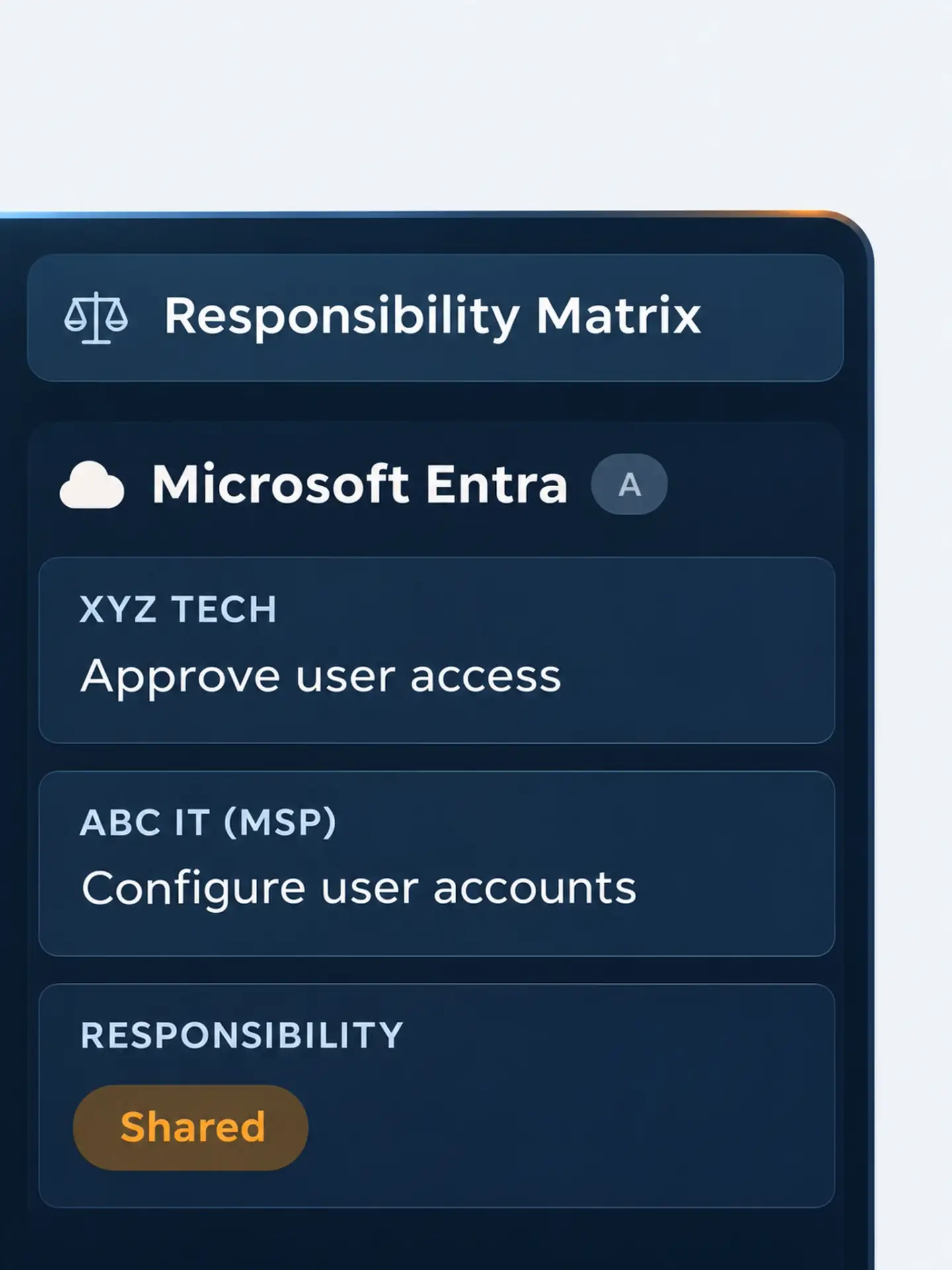
Responsibility matrix inside of MotherBear GRC.

See a connected CMMC program in action

Walk through a complete example program and see how MotherBear GRC fits your team.

Requirement page overview in MotherBear GRC.